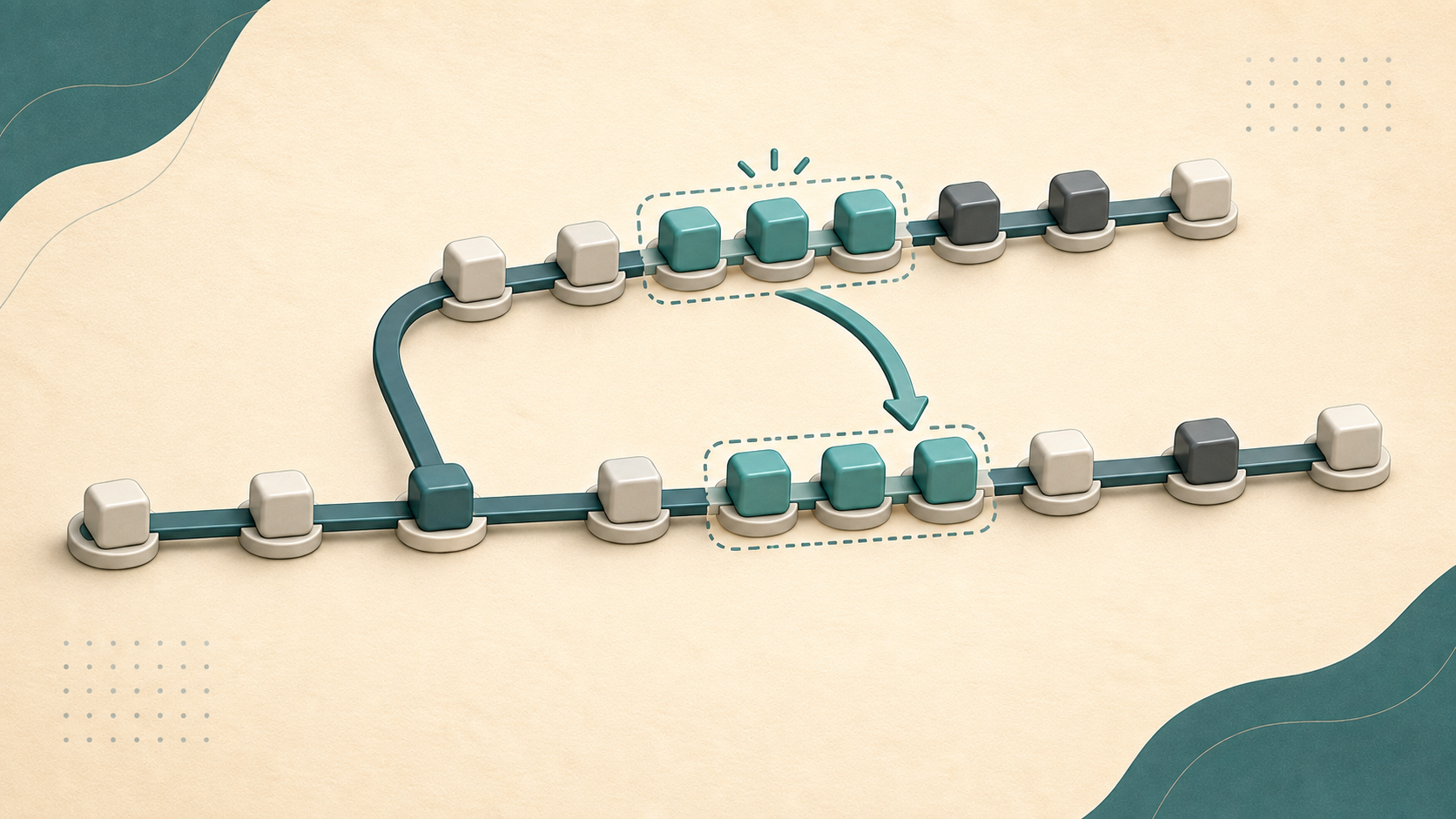
git rebase --onto looks like a complicated variation of git rebase. I avoided it for a long time for that reason. Yet this option answers a very specific question: how do you move only part of a branch to a new base without bringing along the commits below it?
This happens when a branch was created from the wrong branch, a branch stack needs to be reorganized, or a few useful commits are trapped in the middle of a history. A standard rebase chooses what to replay implicitly. With --onto, you explicitly define the new base, the boundary of the commits to exclude, and the branch to move.
Why a standard rebase is not always enough
Take two stacked feature branches. feature/ui was created on top of feature/auth because the interface initially depended on authentication:
A---B                    main
     \
      C---D              feature/auth
           \
            E---F        feature/ui
Commits E and F eventually become independent. We want to open their pull request without the authentication commits C and D.
With this exact graph, running git rebase main from feature/ui does not replay any commit. main still points to B, which is already an ancestor of feature/ui. Git therefore reports that the branch is up to date and leaves its tip on F. The command does not detach feature/ui from feature/auth.
If main had advanced in the meantime, the behavior would be different:
A---B---G---H            main
     \
      C---D              feature/auth
           \
            E---F        feature/ui
In this second graph, git rebase main would select C, D, E, and F, because those four commits are missing from main, then replay them after H:
      C---D                      feature/auth
     /
A---B---G---H                    main
             \
              C'---D'---E'---F' feature/ui
The history would move, but the dependency on feature/auth would remain. In both situations, whether the main branch is unchanged or has advanced, a standard rebase cannot select only E and F.
The actual requirement is more precise: take the commits after feature/auth, which are E and F, then replay them on main. That is exactly what --onto does.
git switch feature/ui
git rebase --onto main feature/auth
The result becomes:
      C---D              feature/auth
     /
A---B                    main
     \
      E'---F'            feature/ui
The apostrophes matter. E' and F' contain the same changes as E and F, but they are new commits with new identifiers. A rebase rewrites history. It does not physically move existing commits.
The formula to remember
The complete form is:
git rebase --onto <new-base> <boundary> <branch>
You can read it as follows:
Take the commits reachable from
<branch>but not from<boundary>, replay them on<new-base>, then move<branch>to the result.
In other words, as a first approximation, Git selects this range:
<boundary>..<branch>
It then applies that range on <new-base>. This distinction is the real value of --onto: the boundary that determines what to replay can differ from the base that determines where to replay it.
In our example:
git rebase --onto main feature/auth feature/ui
mainis the destination;feature/authis the excluded boundary;feature/uiis the branch being moved.
The third argument is optional. Without it, Git uses the current branch. I prefer to include it in a script or a command copied into documentation, because the intent remains visible without depending on the current HEAD.
The official git rebase documentation describes --onto as the starting point at which the new commits are created. “Boundary” is not an official Git term, but it is the most useful mental model for keeping the arguments in the right order.
Case 1: detach a branch from a stack
This is the previous case, and probably the most common one for a team that uses stacked branches.
main:          A---B
feature/auth:       \---C---D
feature/ui:                  \---E---F
To detach feature/ui from feature/auth:
git rebase --onto main feature/auth feature/ui
The feature/auth..feature/ui range contains only E and F. Git replays them on main, then updates feature/ui.
This operation is useful when two pull requests were stacked to move faster and the second one later becomes independently mergeable. It avoids closing the branch, recreating one from main, and selecting the commits one by one with cherry-pick.
Case 2: fix a branch created from the wrong base
A feature/export branch was supposed to start from main, but it was created from release/1.x:
A---B---C                    main
     \
      R1---R2               release/1.x
             \
              X---Y         feature/export
We want to keep X and Y without carrying R1 and R2 onto main:
git rebase --onto main release/1.x feature/export
The release/1.x..feature/export range isolates X and Y. After the rebase:
A---B---C---X'---Y'         feature/export
     \
      R1---R2               release/1.x
You still need to choose a boundary that truly matches the point below which you want to cut. If release/1.x received new commits after feature/export was created, its name may no longer represent that boundary. In that case, use the explicit divergence commit or check it with:
git merge-base release/1.x feature/export
A branch reference is convenient, but a commit identifier is sometimes more exact.
Case 3: extract the latest commits onto another base
Suppose a branch contains five commits, but the last three form an independent fix that must ship on release/2.x:
A---B                         release/2.x
     \
      C---D---E---F---G       feature/payments
From feature/payments, the HEAD~3 boundary identifies the parent of the three commits to replay:
git switch feature/payments
git rebase --onto release/2.x HEAD~3
Git replays E, F, and G on release/2.x. The feature/payments branch then points to that new series.
This case resembles a multi-commit cherry-pick, with one difference in intent. cherry-pick copies commits onto the current branch without moving the source branch. rebase --onto transplants a range and updates the rebased branch. If you need to keep the original branch unchanged, create a new branch first or use cherry-pick.
Case 4: remove a range of commits from the middle
--onto can also remove several contiguous commits from a branch without opening an interactive rebase.
A---B---C---D---E topic
Suppose C and D are experiments to remove, while E must remain. Replay everything after D on B:
git rebase --onto B D topic
The result is:
A---B---E' topic
The command does not directly say “remove C and D.” It says “take D..topic and replay that range on B.” Since only E belongs to that range, C and D no longer belong to the new history of topic.
To remove scattered commits, reorder commits, or edit their messages, git rebase -i remains clearer. --onto is especially appropriate when the cut is a continuous range and both endpoints are clear.
Check the selection before rewriting
The hard part of --onto is not the destination. It is the selection. Before running the command, I always display the range that Git is expected to replay:
git log --oneline --reverse feature/auth..feature/ui
If the output contains E and F, and nothing else, the boundary is correct. You can then inspect the full graph:
git log --oneline --graph --decorate --all
I also create a safety reference before an important rewrite:
git branch backup/feature-ui feature/ui
git rebase --onto main feature/auth feature/ui
This branch does not copy any files. It simply keeps a pointer to the old tip, which is enough to compare or recover the previous history.
After the operation, git range-diff compares the two patch series instead of their identifiers:
git range-diff feature/auth..backup/feature-ui main..feature/ui
You should find the same changes, represented by new commits and any conflict resolutions.
Handle conflicts and recover
Like any rebase, --onto replays commits one by one. A conflict can occur when the new base changed the same lines.
After resolving the files:
git add <resolved-files>
git rebase --continue
To cancel the operation in progress and restore the initial state:
git rebase --abort
If the rebase has already completed, the backup branch is the simplest recovery path. Without one, git reflog can usually locate the old branch tip:
git reflog feature/ui
You should also start with a clean working tree. Combining a rebase with uncommitted changes adds unnecessary risk. --autostash exists, but I prefer a temporary commit or an explicit stash whose presence does not depend on a forgotten option.
The actual cost: commits change identity
Replaying a commit on a different base creates a new commit, even when its diff remains identical. Its identifier changes, and every descendant changes with it.
On a personal branch, this is usually what you want. On an already shared branch, warn the other contributors. Their local history still points to the old commits.
If the remote branch must be updated, use:
git push --force-with-lease origin feature/ui
--force-with-lease refuses to overwrite the remote branch if it advanced in a way your local repository does not know about. This safeguard does not make rewriting public history trivial, but it prevents you from silently erasing work pushed by somebody else.
There is another limit. A standard rebase does not automatically preserve the topology of merge commits. If the branch contains merges that carry useful information, examine --rebase-merges and check the resulting graph carefully.
When to use –onto, and when to choose something else
| Need | Appropriate command |
|---|---|
Update all commits on a branch on top of main | git rebase main |
| Move only the commits after a boundary | git rebase --onto |
| Copy a few commits without moving their source branch | git cherry-pick |
| Reorder, squash, or edit commits | git rebase -i |
| Undo a change without rewriting shared history | git revert |
--onto is therefore less an advanced version of rebase than a selection tool. It becomes useful as soon as the destination base is not the same reference as the selection boundary.
That precision matters especially when Git is the source of truth for deployments, as explained in GitOps Without Kubernetes: Django with doco-cd, SOPS and age. A readable history shows which changes actually reached a release branch without dragging in commits from a temporary dependency.
Conclusion
The most reliable way to understand git rebase --onto fits in one sentence: replay <boundary>..<branch> on <new-base>.
With this model, the main use cases become mechanical: detach a stacked branch, correct a wrong base, transplant the latest commits, or remove an intermediate range. The command remains powerful because it rewrites history. Display the range before rebasing, keep a backup branch, compare the patches afterward, and reserve rewriting for branches whose sharing you control.