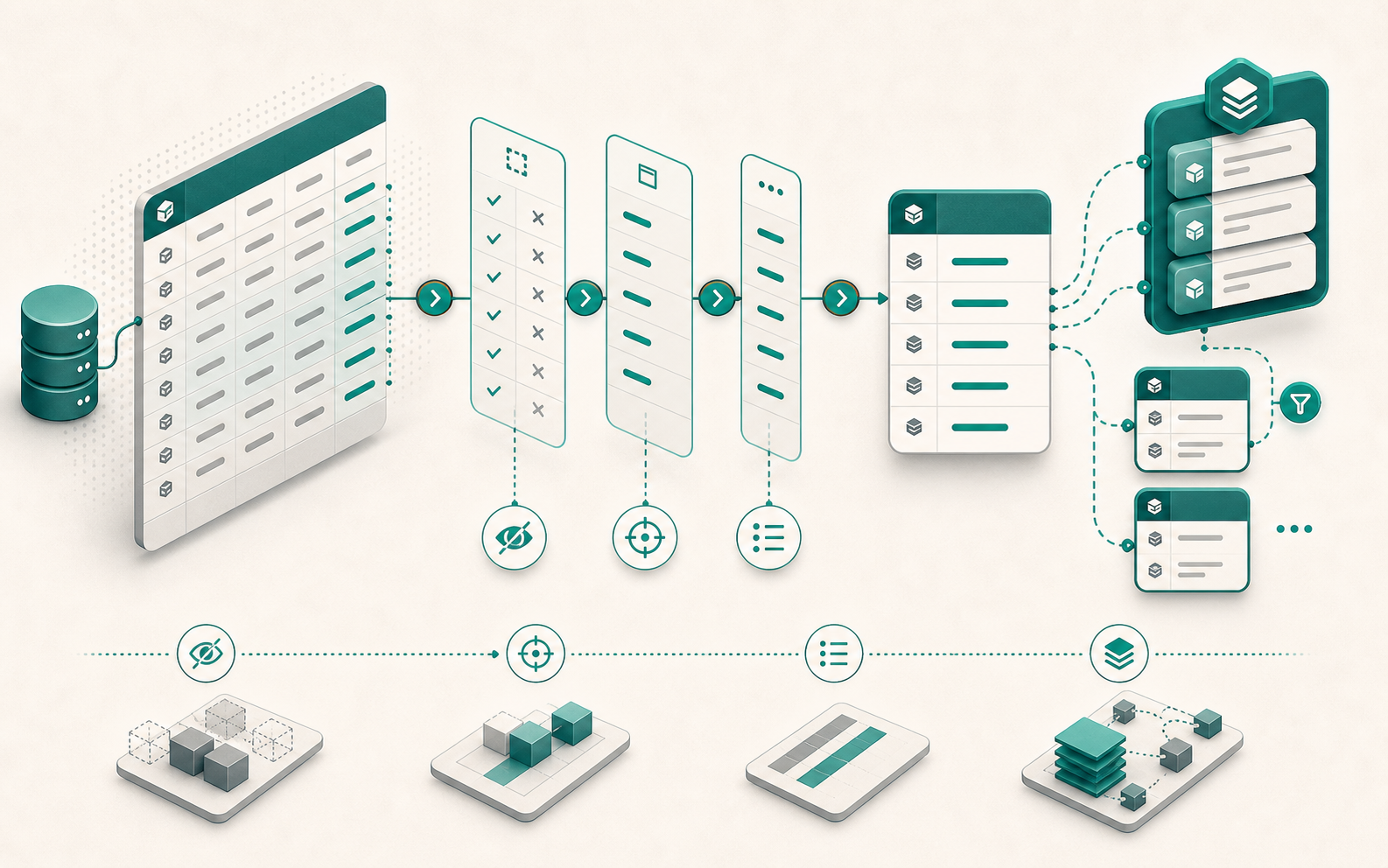
By default, Django loads every field of a model on every query. On a list view showing 50 posts, that means fetching the full content, excerpt, metadata, and translation fields 50 times, even when only the title and date are displayed. Four QuerySet methods let you control exactly what gets loaded: defer(), only(), values_list(), and Prefetch(). The result: 2 SQL queries instead of N+2, with only the necessary columns.
Django defer(): Exclude Heavy Fields from the QuerySet
Django defer() tells the ORM to exclude specific fields from the initial query. Excluded fields remain accessible on the instance, but each access triggers an additional query.
class Post(models.Model):
    title = models.CharField(max_length=200)
    slug = models.SlugField()
    content = models.TextField()     # heavy field
    excerpt = models.TextField()     # heavy field
    is_published = models.BooleanField(default=False)
    author = models.ForeignKey(User, on_delete=models.CASCADE)
    published_at = models.DateTimeField()
# List view: content is not displayed
posts = Post.objects.filter(is_published=True).defer("content", "excerpt")
Generated SQL:
SELECT id, title, slug, is_published, author_id, published_at
FROM blog_post
WHERE is_published = true;
The classic trap: accessing a deferred field inside a loop.
# ❌ Silent N+1: 1 extra query per post
for post in Post.objects.defer("content"):
    print(post.content)  # triggers SELECT content FROM blog_post WHERE id = ?

# ✅ If content is needed, don't use defer()
for post in Post.objects.all():
    print(post.content)
defer() works well when you strictly control which fields are rendered. In a serializer that accesses everything, it becomes counterproductive. See also in_bulk() to limit N+1 queries for bulk operations.
Multiple defer() calls accumulate:
Post.objects.defer("content").defer("excerpt")
# → excludes both content AND excerpt (same as defer("content", "excerpt"))
Django only(): Load Only the Fields You Need
only() is the counterpart of defer(): you specify which fields to load, and everything else is deferred. It is more explicit when the list of needed fields is short.
# Load only what's needed for the list view
posts = Post.objects.only("id", "title", "slug", "author_id", "published_at")
Generated SQL:
SELECT id, title, slug, author_id, published_at
FROM blog_post;
Unlike defer(), only() calls replace each other rather than accumulating:
Post.objects.only("title").only("slug", "author_id")
# → loads only slug and author_id (title is dropped)
Combining only() with select_related() is common and works correctly:
posts = Post.objects.only("id", "title", "author_id").select_related("author")
# 1 query with JOIN, minimal fields, author cached
values_list(): When You Don’t Need Model Instances
values_list() returns tuples instead of model instances. No Python objects are instantiated, which avoids the ORM mapping overhead entirely.
# Tuples (id, title)
Post.objects.filter(is_published=True).values_list("id", "title")
# → <QuerySet [(1, "First post"), (2, "Second post"), ...]>

# Scalar values with flat=True (single field only)
Post.objects.filter(is_published=True).values_list("id", flat=True)
# → <QuerySet [1, 2, 3, ...]>

# Named tuples for attribute access
result = Post.objects.values_list("id", "title", named=True).first()
# result.title  ✅
flat=True only works with a single field. With multiple fields, Django raises a TypeError.
Typical use cases: CSV export, collecting IDs for a bulk operation, feeding a Redis cache. Whenever model methods are not needed, values_list() is the right choice. It pairs well with F() in values() for renaming ORM fields.
Relations can be traversed directly with double-underscore notation. Neither select_related() nor prefetch_related() are needed: Django generates the JOIN automatically, and both are silently ignored when used with values() / values_list().
# ✅ Direct join, no select_related() needed
Post.objects.values_list("id", "author__username")
# → [(1, "alice"), (2, "alice"), ...]

# Both are superfluous here: Django joins the table regardless
Post.objects.select_related("author").values_list("id", "author__username")
Post.objects.prefetch_related("author").values_list("id", "author__username")
# Django joins in both cases; the prefetch never runs
Watch out with ManyToMany or reverse FK traversal: the automatic JOIN multiplies rows. If a post has 3 tags, it appears 3 times in the result.
# Post has a M2M to Tag
Post.objects.values_list("title", "tags__name")
# → [("Article A", "python"), ("Article A", "django"), ("Article A", "orm")]
#    ↑ Article A appears once per tag

# ✅ Deduplicate with distinct()
Post.objects.values_list("title", "tags__name").distinct()
Django Prefetch(): Filter Relations with a Custom Queryset
prefetch_related() alone loads all related objects without any filter. The Prefetch object lets you pass a custom queryset to filter, order, or annotate prefetched objects without affecting other relations.
from django.db.models import Prefetch

class Comment(models.Model):
    post = models.ForeignKey(Post, on_delete=models.CASCADE, related_name="comments")
    body = models.TextField()
    is_published = models.BooleanField(default=False)
    author = models.ForeignKey(User, on_delete=models.CASCADE)
    created_at = models.DateTimeField(auto_now_add=True)
Without Prefetch, all comments are loaded, published or not:
posts = Post.objects.prefetch_related("comments")
With Prefetch, the filter is embedded directly in the prefetch query:
published_comments = Comment.objects.filter(is_published=True).order_by("-created_at")

posts = Post.objects.prefetch_related(
    Prefetch("comments", queryset=published_comments)
)
Generated SQL (Django automatically adds the post ID filter):
-- Query 1: posts
SELECT * FROM blog_post;

-- Query 2: published comments only, linked to the fetched posts
SELECT * FROM blog_comment
WHERE is_published = true
  AND post_id IN (1, 2, 3, ...)
ORDER BY created_at DESC;
Inside the loop, the prefetch cache is used correctly:
for post in posts:
    print(post.comments.all())        # ✅ prefetch cache used
    print(post.comments.filter(...))  # ❌ extra query (cache bypassed)
Calling .filter() after the prefetch bypasses the cache. If a subset is needed, the filter must be in the Prefetch queryset. This is the same principle as select_for_update() in concurrent transactions: intent must be declared at the query level, not after.
to_attr: Store the Result in a Dedicated Attribute
to_attr stores the prefetch result in a Python attribute instead of feeding the relation manager. It is required when you need multiple prefetches on the same relation, because two Prefetch objects targeting the same lookup without to_attr raise a ValueError.
from django.utils import timezone
from datetime import timedelta

posts = Post.objects.prefetch_related(
    Prefetch(
        "comments",
        queryset=Comment.objects.filter(is_published=True),
        to_attr="published_comments",
    ),
    Prefetch(
        "comments",
        queryset=Comment.objects.filter(
            created_at__gte=timezone.now() - timedelta(days=7)
        ),
        to_attr="recent_comments",
    ),
)

for post in posts:
    print(post.published_comments)  # ✅ Python list
    print(post.recent_comments)     # ✅ Python list
    print(post.comments.all())      # ⚠️ extra query (to_attr does not feed the manager)
You can also nest select_related() inside a Prefetch queryset to avoid N+1 on nested relations:
posts = Post.objects.prefetch_related(
    Prefetch(
        "comments",
        queryset=Comment.objects.select_related("author").filter(is_published=True),
    )
)

for post in posts:
    for comment in post.comments.all():
        print(comment.author.username)  # ✅ no extra query
Which Django ORM Method Should You Use?
| Method | Returns | Use when |
|---|---|---|
defer(*fields) | Model instances | Excluding a few well-identified heavy fields |
only(*fields) | Model instances | The list of needed fields is short |
values_list() | Tuples or scalars | Model methods are not needed |
Prefetch() | Model instances | Filtering or annotating prefetched relations |
All four can be combined. A typical list view queryset:
published_comments = Comment.objects.filter(is_published=True).select_related("author")

posts = (
    Post.objects.filter(is_published=True)
    .only("id", "title", "slug", "author_id", "published_at")
    .select_related("author")
    .prefetch_related(Prefetch("comments", queryset=published_comments))
    .order_by("-published_at")
)
Result: 2 SQL queries instead of N+2, with only the necessary columns.
Measure Before Optimizing with Django Debug Toolbar
None of these methods are useful without measurement. connection.queries and Django Debug Toolbar are the reference tools:
from django.db import connection

posts = list(Post.objects.defer("content"))
print(len(connection.queries))  # Number of executed queries
str(queryset.query) prints the generated SQL before evaluation. Useful to verify that defer() or only() actually excludes the expected columns, and that Prefetch() applies the filter at the database level.